WooCommerce Follow Ups Email 4.8.20

WooCommerce Follow Ups Email 4.8.20

WooCommerce Follow Ups Email 4.8.20

WooCommerce Follow Ups Email is a WooCommerce Extensions being developed by Woothemes. WooCommerce Follow Ups Email allows you create automate communications via email and Twitter to keep your customers engaged. Keep customers, students and prospects engaged with less work and manual effort Do you always remember to send a personalized email to follow up with customers? Do […]

WooCommerce Follow Ups Email is a WooCommerce Extensions being developed by Woothemes. WooCommerce Follow Ups Email allows you create automate communications via email and Twitter to keep your customers engaged.

Keep customers, students and prospects engaged with less work and manual effort

Do you always remember to send a personalized email to follow up with customers? Do you know who your best customers are and continuously nurture them towards an additional purchase or ensure happiness with their last one? Do you want to know when a student is falling behind or has not yet taken a quiz? Do you add new content and communicate this to your audience? Do you segment your mailing lists based on interest?

If you answered no to any of the above questions, Follow-Ups will change your business for the better. The Direct Marketing Association reports that email marketing ROI is $43 for every dollar spent, making it the most effective marketing channel for driving sales.

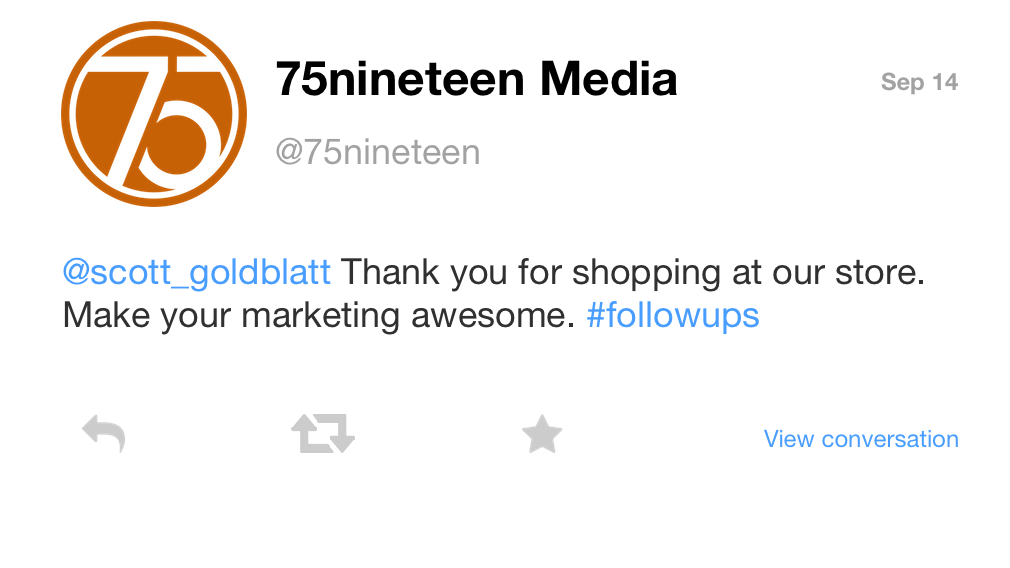
Social media is all the rage, and with Follow-Ups you are not left behind. It has yet to become the direct sales driver that emails are proven to be, but it is extremely powerful as a marketing tool. This is why Twitter follow-ups are integrated into this plugin.
Follow-Ups will better engage your customers and students by creating complex drip campaigns based upon user interests, course and purchase history to drive more purchases and higher engagement, all with less effort across multiple marketing channels.
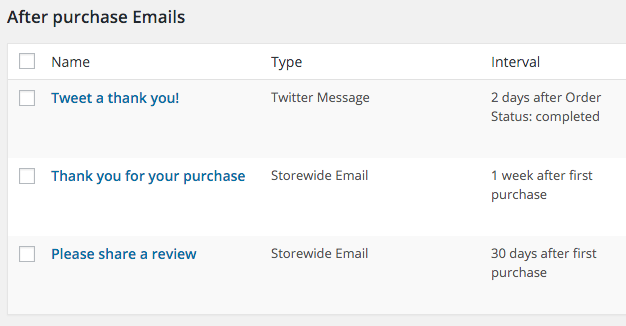
Follow-Ups allows you to:

  • Email and Tweet your customers and prospects
  • Track efficacy of your emails (open/clicks/sends/etc)
  • Automate your marketing communications, so you can spend more time selling
  • Track customer value to enhance knowledge of your customers
  • Stay abreast of your students’ progress, and communicate updates
  • Create reminders to ensure no communication is missed
  • Optimize your email marketing spend with no outrageous monthly fees
  • Create and manage mailing lists to get a complete 360-degree view of your email marketing
  • Customize templates for each campaign (or even email) to ensure emails look great on every device
  • Personalize your emails with built-in variables and merge tags, as well as support custom variables
  • Enhance the WooCommerce email system and integrate it into your marketing plan

Follow-Ups Features

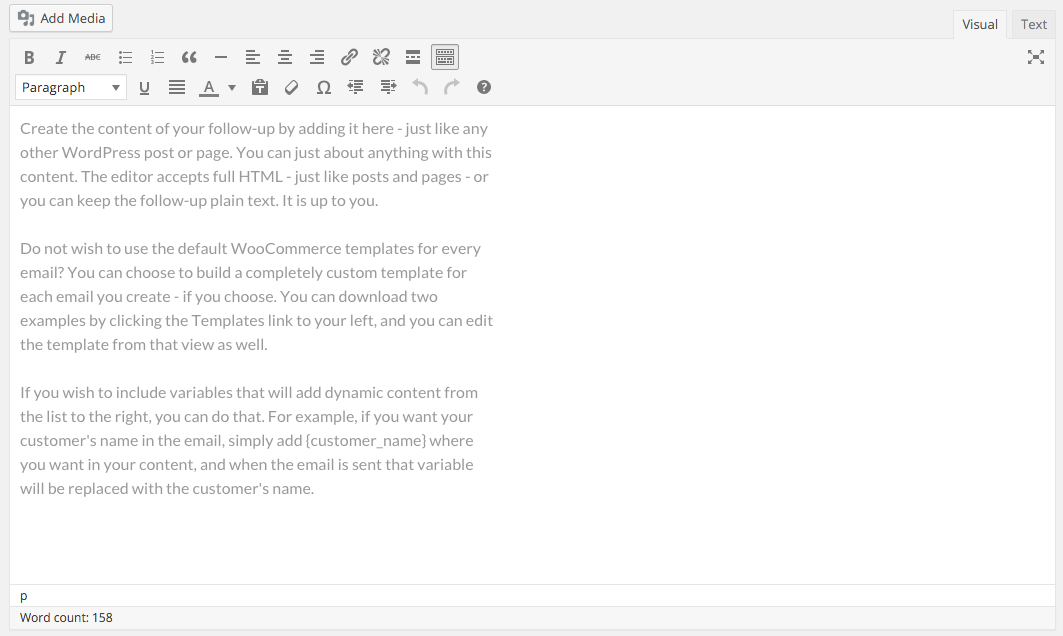
Simple email creation

Follow-Ups uses the WordPress editor to create your emails, which means you do not need to learn anything new. Know how to write a post? You can write an email!
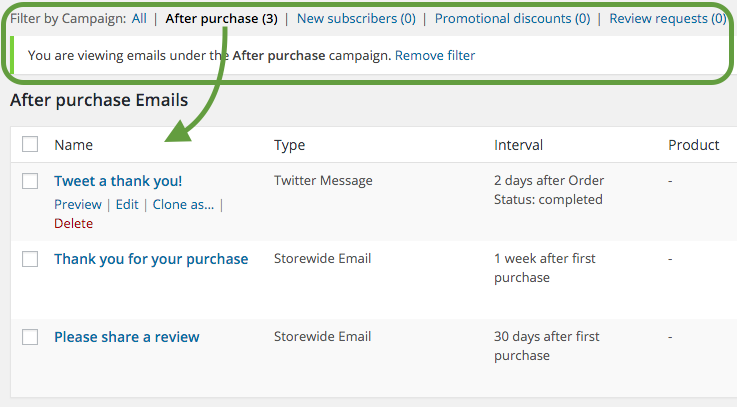
Group follow-ups into Campaigns

Easily group your different tweets and emails together into easy to manage campaigns.
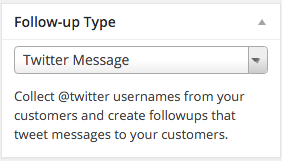
Send tweets

Sending a reminder or follow-up via Twitter is as easy as scheduling an email. We’ve created a Twitter type to make it easy to keep your tweet length in check as well. You can also use our included variables to personalize your tweets.
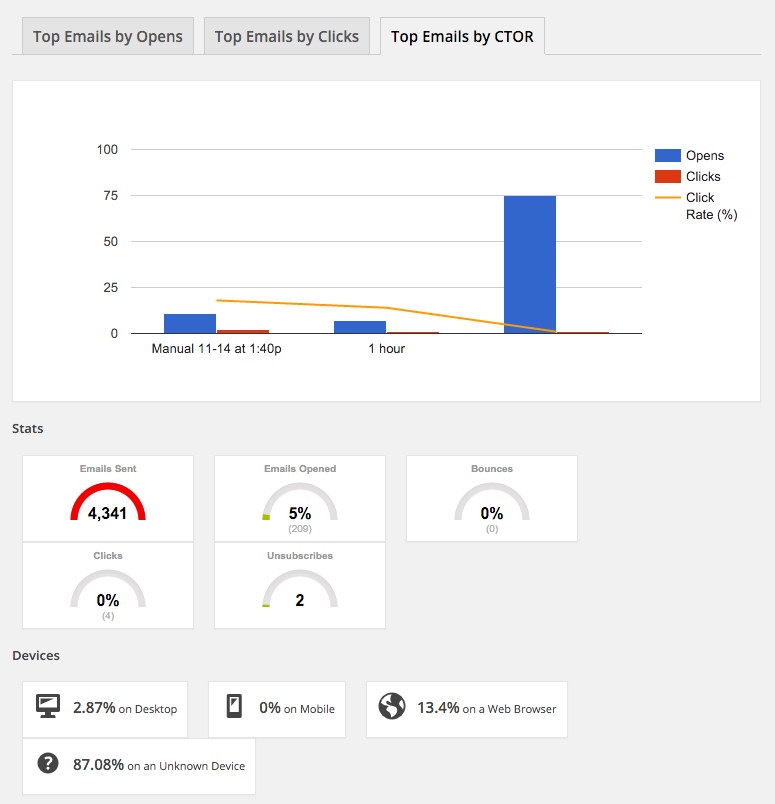
Full fledged reporting

Don’t limit yourself to simply knowing your email was sent. With Follow-Ups, you will get detailed reporting to help you understand the performance.
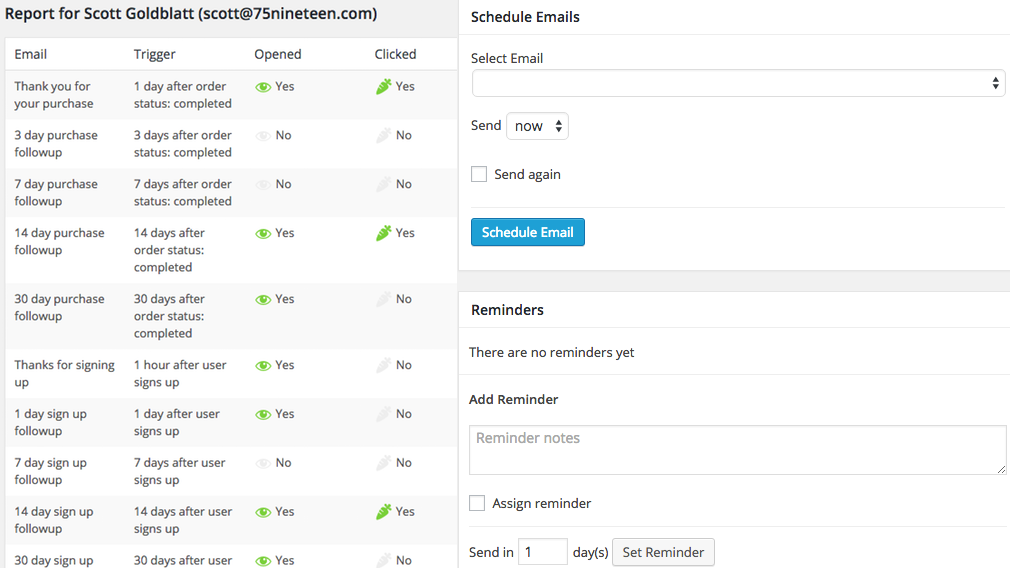
Know thy students, customers, and prospects

Get a detailed picture of your customers and prospect. See the status of every email sent to a specific email address (customer). Know if they opened a specific email or, better yet, clicked. See the value of the customer by seeing a summary of their orders. Create reminders for yourself, your partners, or your employees to take action on that customer.
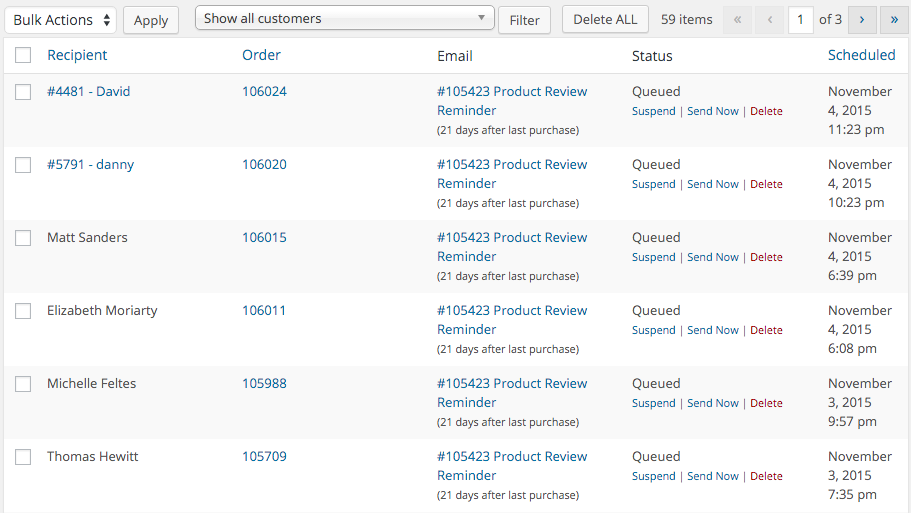
Gain unrivaled control over your communications

Follow up Emails provides you with unprecedented insight into the schedule of communications. See everything that is scheduled in the future, and you can opt to suspend, delete, send now, or let it send as planned.
RESTful API

Want to do more? Wish to integrate your own app Follow-Ups? Using the full-featured REST API that is included with Follow-Ups, you can integrate anything you want and utilize Follow Ups’ advanced scheduler and communications delivery vehicle.

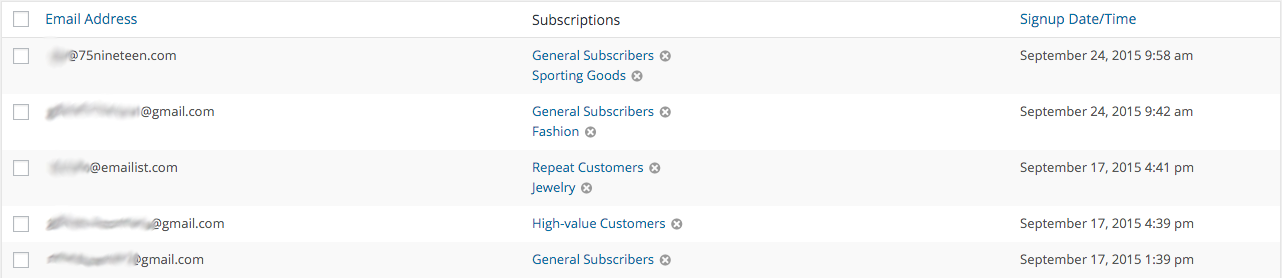
Mailing lists

Communications don’t stop with just transactional based emails. Also build, cultivate and manage your mailing lists using Follow-Ups. Have a list elsewhere? Import it into Follow Ups. Add emails to multiple lists, schedule emails using the scheduler, and segment your lists to your heart’s content.
Free and custom templates

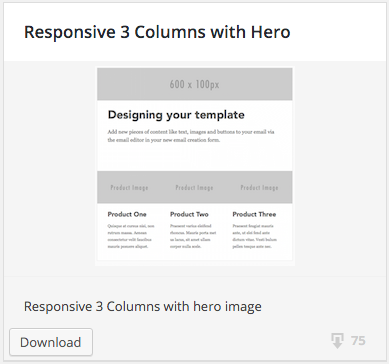
Follow-Ups comes bundled with a number of free starter fully-responsive email templates, but its power lies in the built-in email editor that allows you to create your own email templates to match your store, brand, service, and/or campaign. The possibilities for customization are endless.
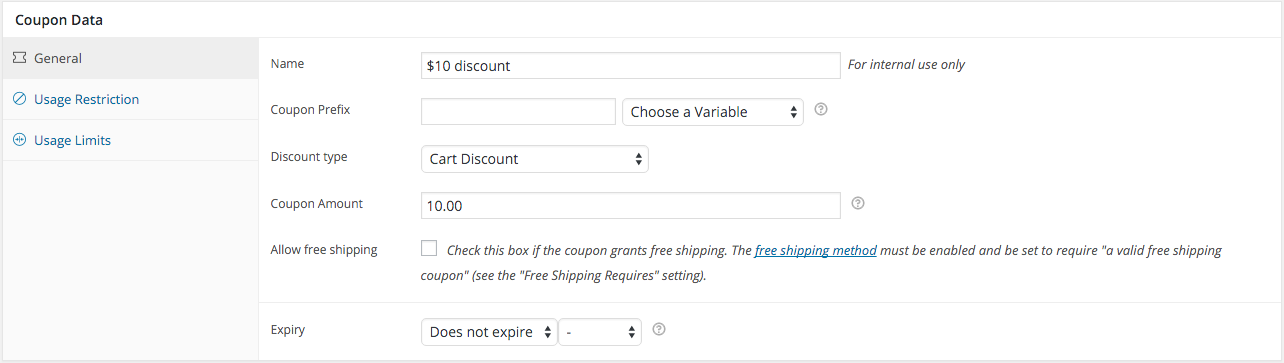
Personalized coupons

Everybody loves a discount – that’s why Follow-Ups allows you to create coupons that are personalized for your customer, or subscriber, automatically generating/creating/saving/reporting on that coupon for you. Creating a new coupon is simple, and integrating it into your email campaign is even easier.
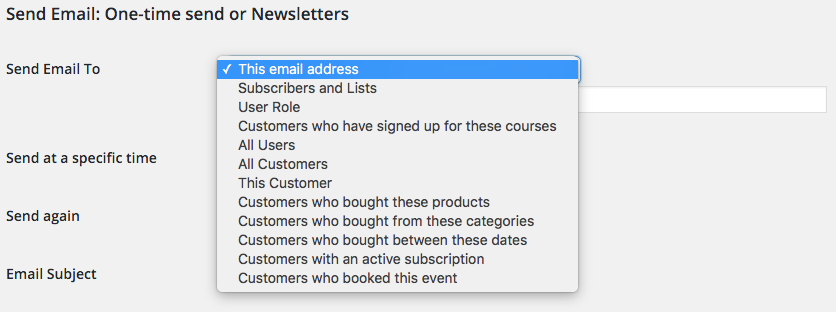
Newsletters and One-time Emails

Create email templates and newsletters to send to as many of your customer segments as needed. Need to send a specific email to a single Mailing List? Want your employees to use a specific email template when communicating with customers? Follow-Ups can allow you to do that. In addition, every email sent is tracked for future use and reporting.
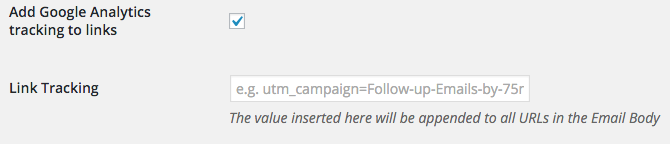
Google Analytics integration

Easily append Google Analytics tracking values onto links in your emails, so that you can track email to purchase funnel using Google’s free analytics tools.
Sensei? We’ve got you covered

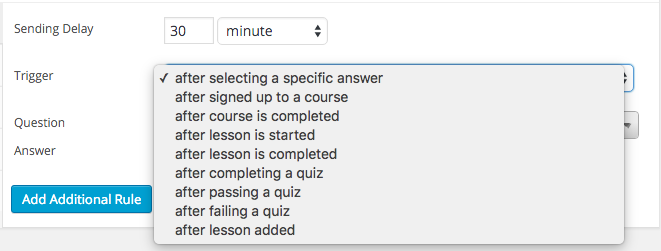
Communicate quickly, efficiently, and automatically as your students progress through your educational and training programs. Send emails as your learners perform actions, answer questions, and finish lessons. Also, keep yourself in the loop by being notified of your lesson/class status.
Awesome integrations

Follow-Ups are directly integrated with many of your favorite plugins and extensions, making it extremely easy to send emails and tweets no matter what plugins you are using – even if you do not have WooCommerce installed. In fact, using our API, you can integrate with any service – just install Follow-Ups and WordPress and you’re ready to go!

  • WordPress
  • WooCommerce
  • Sensei
  • WooCommerce Subscriptions
  • WooCommerce Bookings
  • The Events Calendar
  • Twitter
  • WooCommerce Points and Rewards
  • Google Analytics
https://ift.tt/2LTEjR3

https://ift.tt/2LQsGdy https://ift.tt/36vbqCo

WooCommerce Flat Rate Box Shipping 2.0.9

WooCommerce Flat Rate Box Shipping 2.0.9

WooCommerce Flat Rate Box Shipping 2.0.9

Advanced Shipping Rates using Box Packing Flat rate box shipping lets you define costs for boxes to different destinations. Items are packed into boxes based on item size and volume, and then that box uses the fixed costs you define per destination. Add multiple box sizes per shipping zone. Add costs per box, per weight […]

Advanced Shipping Rates using Box Packing

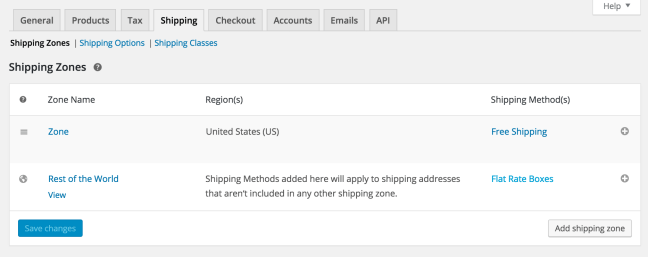
Flat rate box shipping lets you define costs for boxes to different destinations. Items are packed into boxes based on item size and volume, and then that box uses the fixed costs you define per destination.

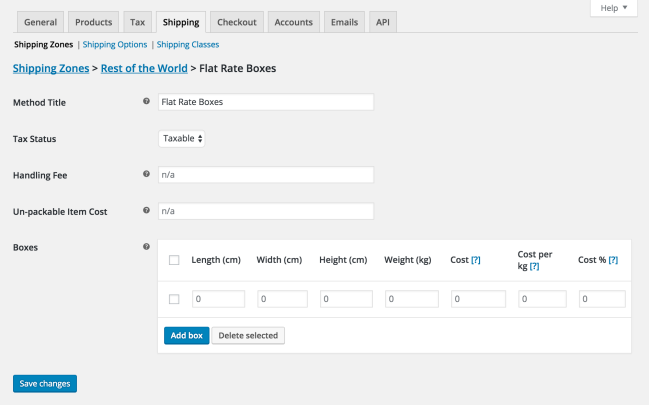
  • Add multiple box sizes per shipping zone.
  • Add costs per box, per weight unit, and a percentage of the item costs inside.
  • Define a cost for un-packable items e.g. too large to fit in a box.

Add box sizes + costs to each zone

Define box sizes and costs

https://ift.tt/34m9pal

https://ift.tt/36y19Fz https://ift.tt/2PHNDsp

WooCommerce FirstData Payment Gateway 4.6.1

WooCommerce FirstData Payment Gateway 4.6.1

WooCommerce FirstData Payment Gateway 4.6.1

Easily Accept Credit Cards with First Data Let your customers easily and seamlessly check out on your site with First Data. Capture more sales and reduce cart abandonment by taking advantage of First Data TransArmor credit card tokenization, allowing customers to securely and safely save their cards for future checkout. Benefit from tons of great features […]

Easily Accept Credit Cards with First Data

Let your customers easily and seamlessly check out on your site with First Data. Capture more sales and reduce cart abandonment by taking advantage of First Data TransArmor credit card tokenization, allowing customers to securely and safely save their cards for future checkout. Benefit from tons of great features like enhanced checkout forms, Subscriptions support, capturing charges, and more!

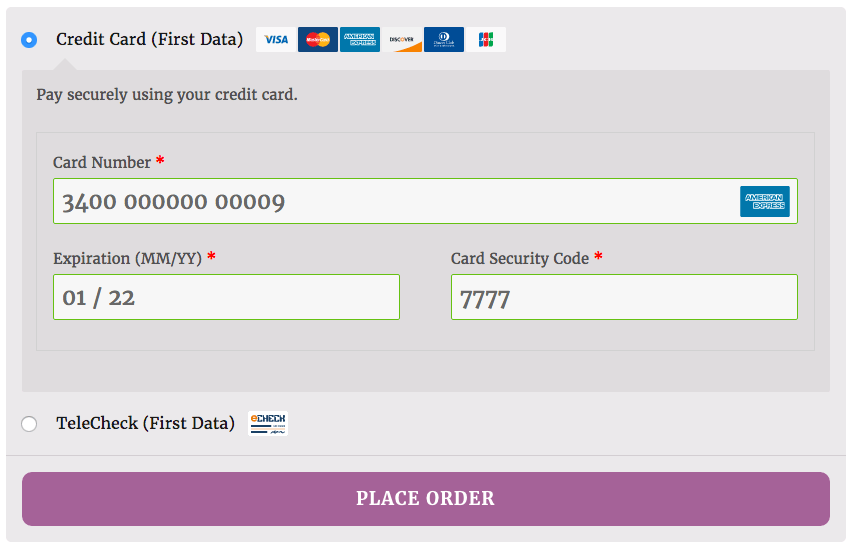
WooCommerce First Data Enhanced Checkout Form
Enhanced Checkout Form

You can now opt to show detailed decline messages to your customers, no more “an error occurred” error messages!

WooCommerce First Data detailed decline messages
Detailed Decline Message

This First Data plugin supports three gateway modes available from First Data:

  • Payeezy Gateway: Payeezy Gateway (formerly GGe4, will soon be known as Clover Gateway), lets you accept credit card payments via First Data directly on your site, and supports TransArmor tokenization.
  • Payeezy (API): Payeezy Gateway merchants can upgrade to Payeezy (ask your First Data rep!) to take advantage of the Payeezy.js library while maintaining the features they love. Payeezy supports all features of Payeezy Gateway, but it also tokenizes card information client-side before sending it away from your site for increased security and reduced PCI compliance burden.
  • Global Gateway (Formerly Linkpoint): This legacy First Data solution is also supported to process credit card transactions for merchants who can’t yet upgrade their First Data accounts.

Exceptional Features

  • Accept all Major Credit Cards – Visa®, MasterCard®, American Express®, Discover®, Diner’s Club, JCB
  • Uses an enhanced payment form with retina icons that automatically detects and formats card type
  • Adds a mobile-friendly checkout with numerical inputs for card type and security code NEW
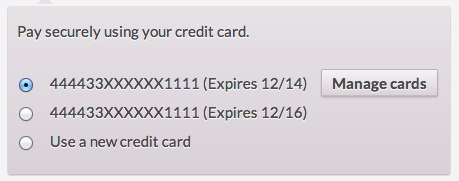
  • Customers can securely save their payment method to their account for easier checkout*
  • Process automatic refunds from within WooCommerce*
  • Capture charges for pre-authorized transactions directly from within WooCommerce NEW*
  • Force charges for orders with only virtual items instead of authorizing them NEW
  • Void pre-authorized transactions to cancel orders from within WooCommerce*
  • Full Support for WooCommerce Subscriptions*
  • Full Support for WooCommerce Pre-Orders*
  • Show detailed decline messages at checkout to help customers complete transactions NEW*
  • Supports TeleCheck for eCheck processing NEW*
  • Legacy Global Gateway support
  • Supports Payeezy API / Payeezy.js for improved security and PCI compliance
  • Support for Soft Descriptors (multiple sites on one merchant account)*

https://ift.tt/2RQwQG5

https://ift.tt/2tfMyAl https://ift.tt/35mfZiu

WooCommerce FedEx Shipping Method 3.4.24

WooCommerce FedEx Shipping Method 3.4.24

WooCommerce FedEx Shipping Method 3.4.24

edEx Shipping Method FedEx Express invented express distribution and is the industry’s global leader, providing rapid, reliable, time-definite delivery to more than 220 countries and territories. This extension requires that your store uses US or Canadian Dollars for its currency, US or Canada as the base country, and that your server has SOAP installed. It primarily works […]

edEx Shipping Method

FedEx Express invented express distribution and is the industry’s global leader, providing rapid, reliable, time-definite delivery to more than 220 countries and territories.

This extension requires that your store uses US or Canadian Dollars for its currency, US or Canada as the base country, and that your server has SOAP installed. It primarily works with ins and lbs, but other units can be converted automatically.

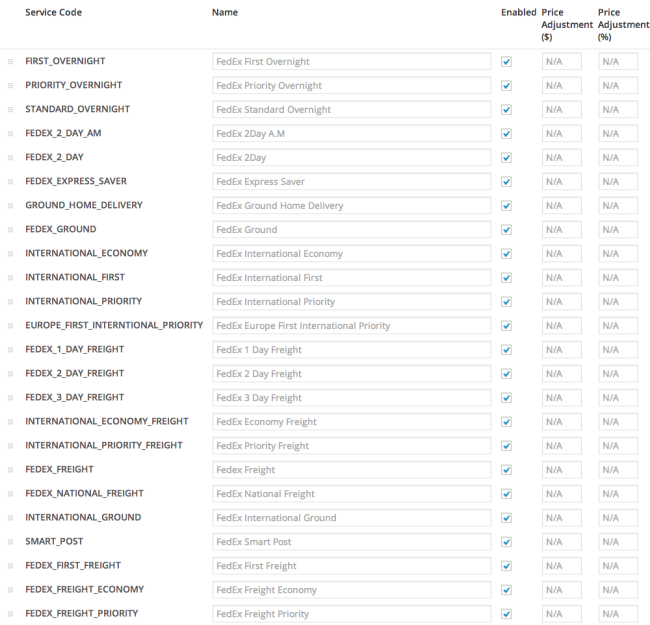
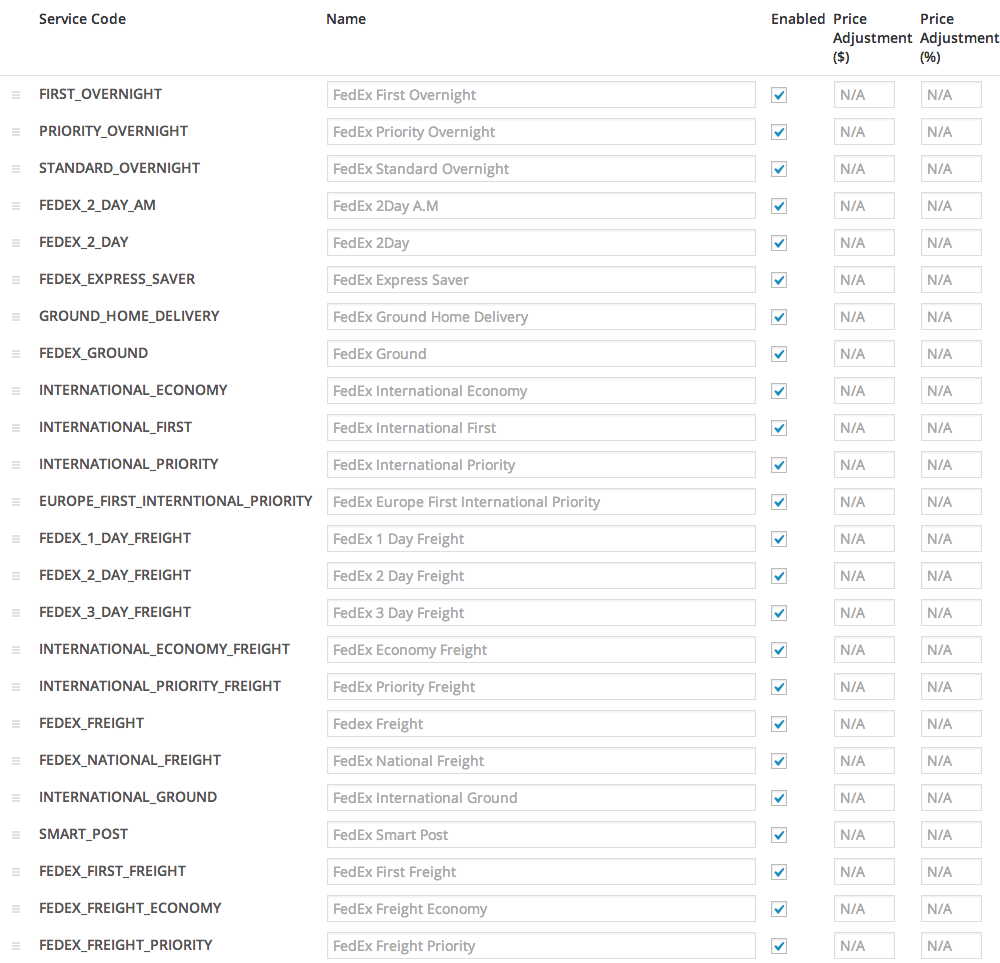
FedEx can calculate quotes worldwide, as it handles both domestic and international parcels:

DOMESTIC INTERNATIONAL

  • First Overnight
  • Priority Overnight
  • Standard Overnight
  • FedEx 2 day am
  • FedEx 2 day
  • FedEx Express Saver or FedEx Economy
  • Ground Home Delivery
  • FedEx Ground
  • FedEx Tube
  • FedEx First Freight
  • FedEx Freight Economy
  • FedEx Freight Priority
  • Smart Post (if enabled on account)

  • International Economy
  • International First
  • International Priority
  • Europe First International Priority
  • FedEx 1 day freight
  • FedEx 2 day freight
  • FedEx 3 day freight
  • International Economy Freight
  • International Priority Freight
  • Fedex Freight
  • Fedex National Freight
  • International Ground

WooCommerce Settings ‹ WooLocal — WordPress
Service Settings

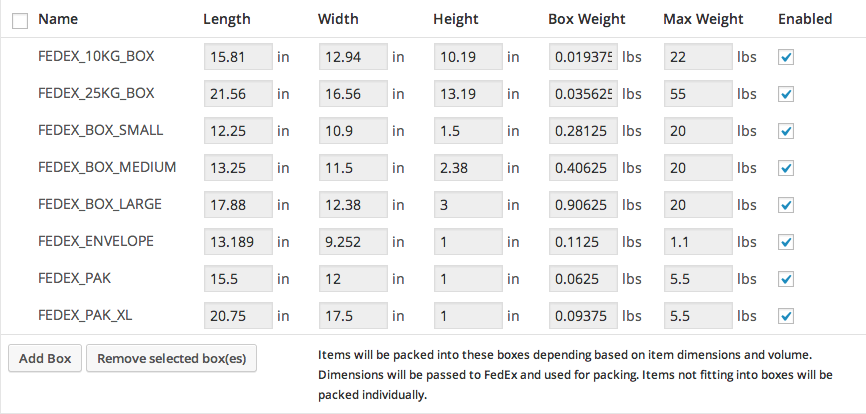
Box Settings

https://ift.tt/2RSV0jg

https://ift.tt/2PiFTOu https://ift.tt/2LRtJdq

Woocommerce Facebook Tab 1.2.0

Woocommerce Facebook Tab 1.2.0

Woocommerce Facebook Tab 1.2.0

Woocommerce Facebook Tab is a WooCommerce Extensions being developed by Woothemes. Woocommerce Facebook Tab allows you to sell products from your WooCommerce Store directly on Facebook Fanpage. Woocommerce Facebook Tab required SSL Certificate

Woocommerce Facebook Tab is a WooCommerce Extensions being developed by Woothemes. Woocommerce Facebook Tab allows you to sell products from your WooCommerce Store directly on Facebook Fanpage.

Woocommerce Facebook Tab required SSL Certificate

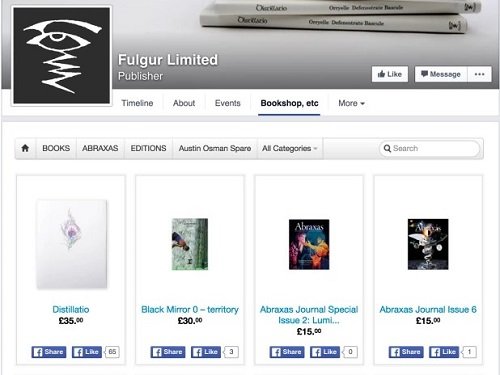
Woocommerce Facebook Tab

https://ift.tt/36BcwwF

https://ift.tt/2YUlOkQ https://ift.tt/2EfP7ov

WooCommerce eWAY Payment Gateway 3.1.23

WooCommerce eWAY Payment Gateway 3.1.23

WooCommerce eWAY Payment Gateway 3.1.23

Take credit card and subscription payments directly on your store with eWAY The eWAY extension for WooCommerce allows you to take credit card payments directly on your store without redirecting your customers to a third party site to make payment. Supports WooCommerce Subscriptions, WooCommerce Refunds API, as well as token payments, which allows customers to save credit cards […]

Take credit card and subscription payments directly on your store with eWAY

The eWAY extension for WooCommerce allows you to take credit card payments directly on your store without redirecting your customers to a third party site to make payment. Supports WooCommerce SubscriptionsWooCommerce Refunds API, as well as token payments, which allows customers to save credit cards for future purchases. Everything happens on your site without the customer ever leaving.

WooCommerce eWAY Rapid 3.1
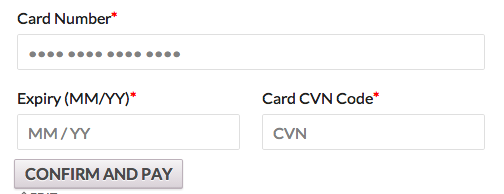
eWAY Rapid 3.1 Credit Card Form

The eWAY payment gateway for WooCommerce makes use of eWAY’s brand new Rapid 3.1 API, it supports 3D Secure and is fully PCI compliant as per eWAY’s specifications and adds support for processing subscription payments as well as token payments allowing customers to save credit cards for future purchases.

WooCommerce eWay Token Payments
Token Payment Support

By using eWAY’s Rapid 3.1 API there is a single endpoint for processing payment, meaning you only need this one extension to take payment through any of eWAY’s processing countries, eWAY Australia, eWAY New Zealand, eWAY SE Asia. eWAY uses complex DNS technology to ensure your payment is routed to the correct country.

Key Features

  • Ability to host promotional flash sales in real time
  • Generate discount coupons for your customers to help with special promotions
  • Product reviews from your customers
  • Automatic up-sells and cross-sells
  • Intuitive order management suite

start with eway button

This extension post credit card details directly from the customer browser to eWAY meaning no credit card details will ever touch your store, though we do recommend you get an SSL certificate for extra security.

https://ift.tt/2LVhigF

https://ift.tt/2RQraMl https://ift.tt/2LTmD7X

WooCommerce Distance Rate Shipping 1.0.15

WooCommerce Distance Rate Shipping 1.0.15

WooCommerce Distance Rate Shipping 1.0.15

Easily Offer Shipping Rates Based on Distance or Total Travel Time The WooCommerce Distance Rate Shipping extensions allows you to easily offer shipping rates based on the distance or total travel time to your customer. Rules can be set up to charge based on the distance, total travel time as well as charging extra based on the total cart value, total weight of […]

Easily Offer Shipping Rates Based on Distance or Total Travel Time

The WooCommerce Distance Rate Shipping extensions allows you to easily offer shipping rates based on the distance or total travel time to your customer.

Rules can be set up to charge based on the distancetotal travel time as well as charging extra based on the total cart valuetotal weight of the products in the cart, and the number of items in the cart.

WooCommerce Distance Rate Shipping Rules

The WooCommerce Distance Rates Shipping extension is perfect for the store owner who wants to charge customers for delivery of items based on how far away they are from the store. A perfect example would be for store hiring out equipment or a take away store.

For example say you are a company hiring out Keg Draught Beer setups and deliver the equipment however want to charge different rates for the delivery based on how far away the customer is from you and how many kegs they hire, then WooCommerce Distance Rate Shipping extension is for you.

Or if you run a service that produces home cooked meals but would like to charge more for delivery based on the further the customer lives from you then the WooCommerce Distance Rate Shipping extension is perfect.

The use cases are endless and can cover pretty much every scenario for charging shipping based on the total distance or travel time.

https://ift.tt/2EfP3ov

https://ift.tt/2LTdmgl https://ift.tt/2EhzexI

WooCommerce Deposits 1.4.15

WooCommerce Deposits 1.4.15

WooCommerce Deposits 1.4.15

Let customers place a deposit or use a payment plan With WooCommerce Deposits, your customers can put down a deposit or use a payment plan for products you specify. Nice, hey? This robust and flexible tool allows you the ability to create custom payment plans, with variable percentages and intervals. Customers are guided through the process of paying […]

Let customers place a deposit or use a payment plan

With WooCommerce Deposits, your customers can put down a deposit or use a payment plan for products you specify. Nice, hey?

This robust and flexible tool allows you the ability to create custom payment plans, with variable percentages and intervals. Customers are guided through the process of paying for items as they browse and checkout, with easy-to-follow visuals.

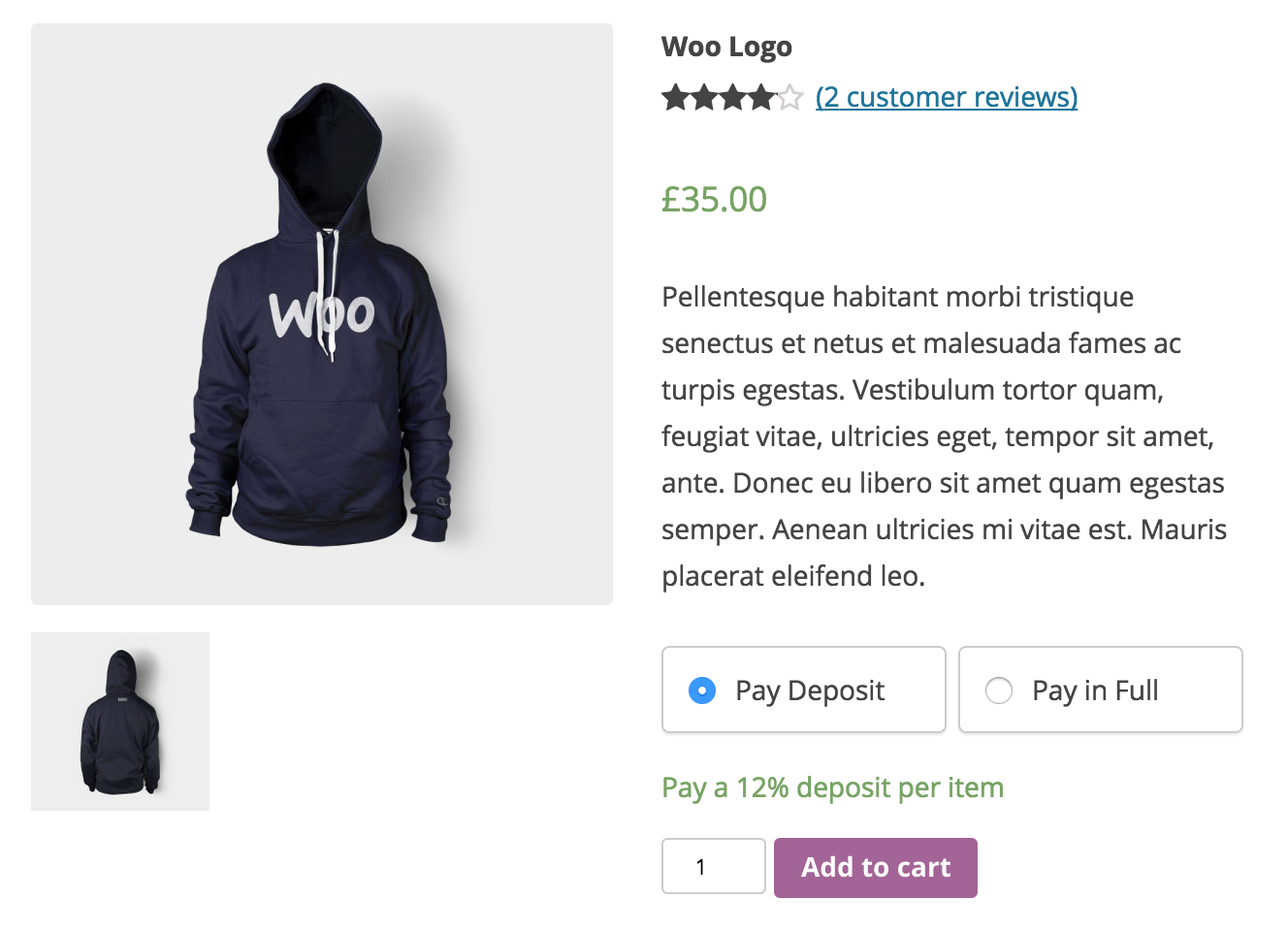
How a deposit product looks in your store.
How the deposit option looks on a product in your store.

If the deposit is forced on a product.
If a deposit is required for a product.


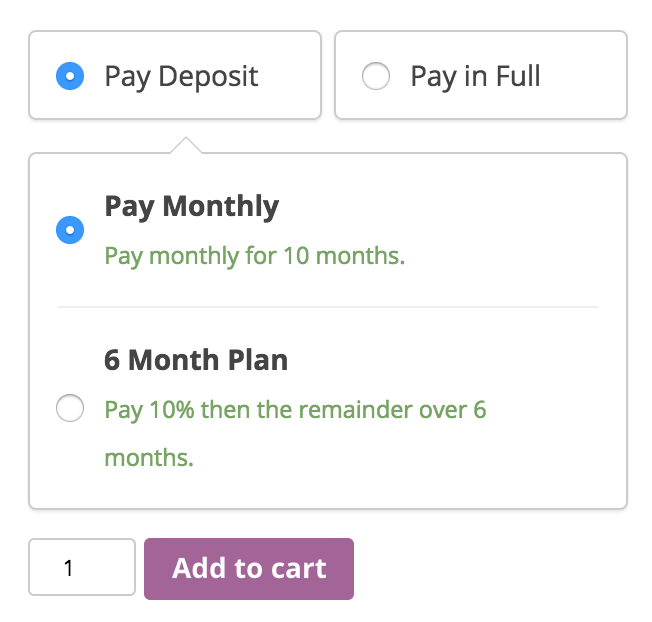
If a payment plan is connected to a product.
If a payment plan is offered for a product.

Key Features

  • Custom payment schedules using days, weeks or months.
  • Payment acceptance as deposits, layaway plans or any payment structure you wish
  • Intuitive checkout flow for customers, explaining the payment plan in easy-to-understand visuals
  • Option for the customer to pay in full or with a deposit

Manual and automatic recurring payments are not supported in the current version, so credit card data is not stored.

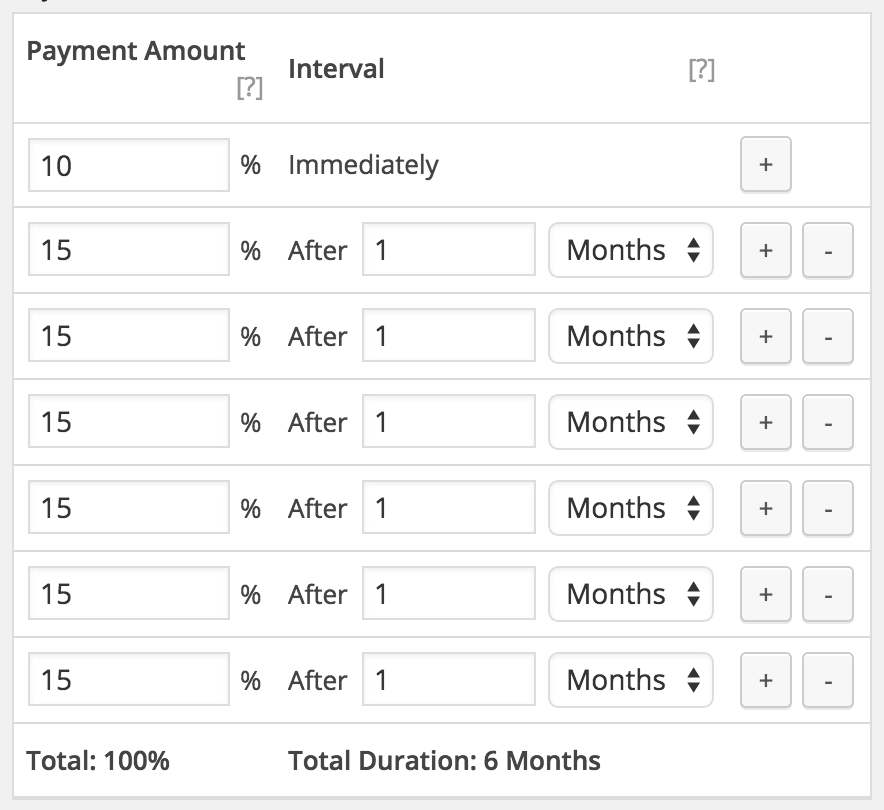
Setting up a payment plan.

https://ift.tt/2qPfIFB

https://ift.tt/2LQwECP https://ift.tt/2Po73nf

WooCommerce Customer/Order/Coupon CSV Import Suite 3.8.0

WooCommerce Customer/Order/Coupon CSV Import Suite 3.8.0

WooCommerce Customer/Order/Coupon CSV Import Suite 3.8.0

Easily import Customers, Orders, and Coupons via a CSV file Mass import hundreds, even thousands of customers, coupons, and orders into your WooCommerce store with the Customer / Coupon / Order CSV Import Suite. This user-friendly importer will import customers with a minimum of hassle, and can import orders and link them to your shop’s […]

Easily import Customers, Orders, and Coupons via a CSV file

Mass import hundreds, even thousands of customers, coupons, and orders into your WooCommerce store with the Customer / Coupon / Order CSV Import Suite. This user-friendly importer will import customers with a minimum of hassle, and can import orders and link them to your shop’s customers and products.

This is an ideal tool when migrating an existing shop on a different eCommerce platform to WooCommerce, allowing you to maintain your customer accounts and order history. Have coupons to migrate from your old eCommerce platform, or campaigns requiring the creation of hundreds of coupons or more? The importer will import those, too!

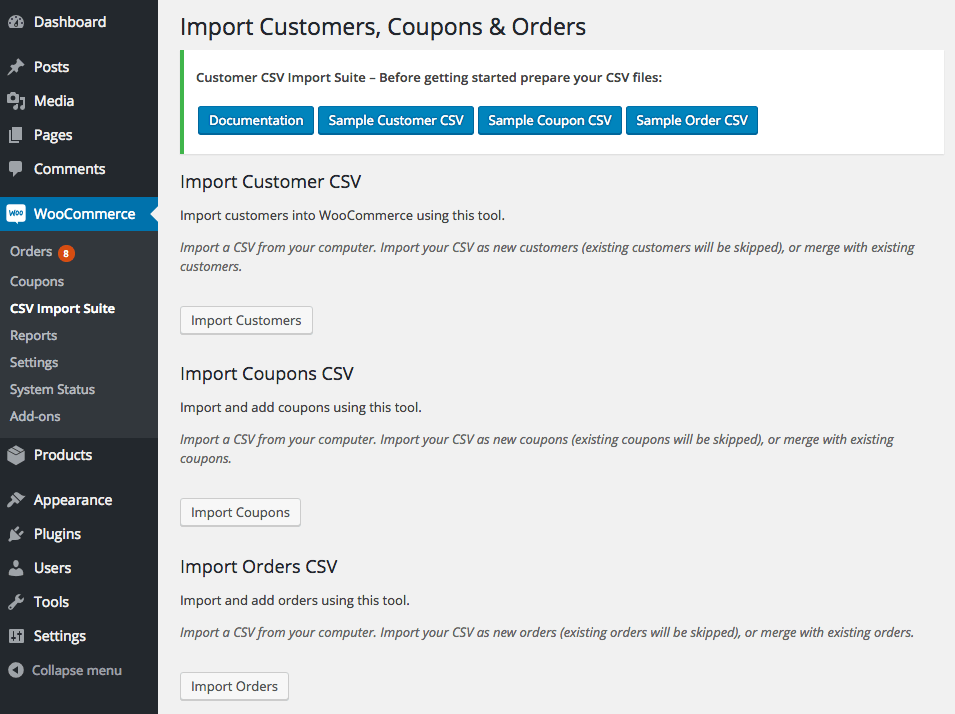
WooCommerce Customer / Coupon / Order CSV Import: Select import type
Main Import Screen

The importer is flexible enough to handle several kinds of import formats, and you can map your import columns to the appropriate WooCommerce data to merge or create customers, coupons, and orders. You can also import data from a variety of sources, such as an uploaded file, URL / file path, or via copy and paste.

What can the CSV Importer do?

  • Choose an import file location: upload your file, import from a URL / file path, or copy and paste import data NEW
  • Import customer data such as name, email, addresses, whether they are a paying customer, etc
  • Merge customer data from your import with existing users – useful for mass-updating customer information!
  • Import coupons – all coupon fields are supported, including sale item exclusions and usage limits
  • Merge coupons – useful for mass-updating coupon data
  • Import order data, such as line items, linked customers, order totals, order notes, order numbers (works well when paired with the Sequential Order Number Pro plugin), and more
  • Merge order data to update totals, order status, or add meta in bulk such as tracking numbers NEW
  • Import custom fields (meta) for customers, coupons, and orders
  • Import custom taxonomies for customers, coupons, and orders if you have them added by plugins / third party code
  • Supports multiple shipping methods per order
  • Imports order data in the background so that you can import large sets of data without timeouts NEW
  • Flexible import format requires a minimum of fields to import, but allows fully defined customers, orders, and coupons
  • Fully compatible with the Order / Customer CSV Export extension

Import Process

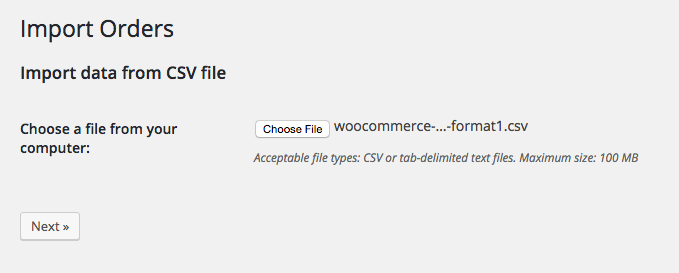
The import process for customers, coupons, and orders is similar. You’ll first select your import file location.

WooCommerce Customer / coupon / Order CSV Import: Select import file

Then you’ll select options for the import, and get a quick preview of your import file so you can ensure the plugin has detected the delimiter correctly. For any import type, you can opt to merge data, which will update existing records if they match, or only create data with each imported row.

WooCommerce Customer / coupon / Order CSV Import: customer import options
Customer Import Options

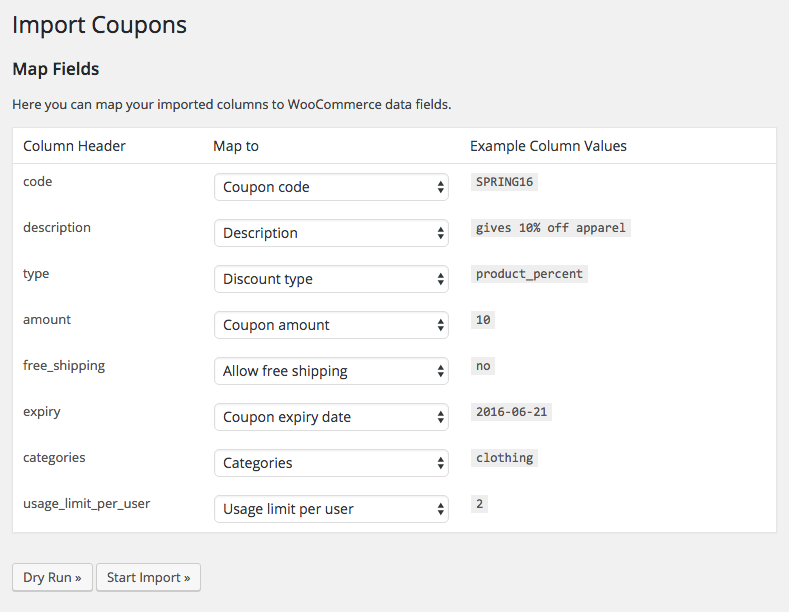
Next, you’ll map the columns in your import to the appropriate WooCommerce data. This lets you easily import almost any file format, so long as it contains the necessary information for import.

WooCommerce Customer / coupon / Order CSV Import: coupon import mapping

Finally, you can run a dry run to ensure your file will import safely, and do a live run. This will process in the background, meaning you can navigate away from the import page as it churns through your imported file, which can even be thousands of rows long!

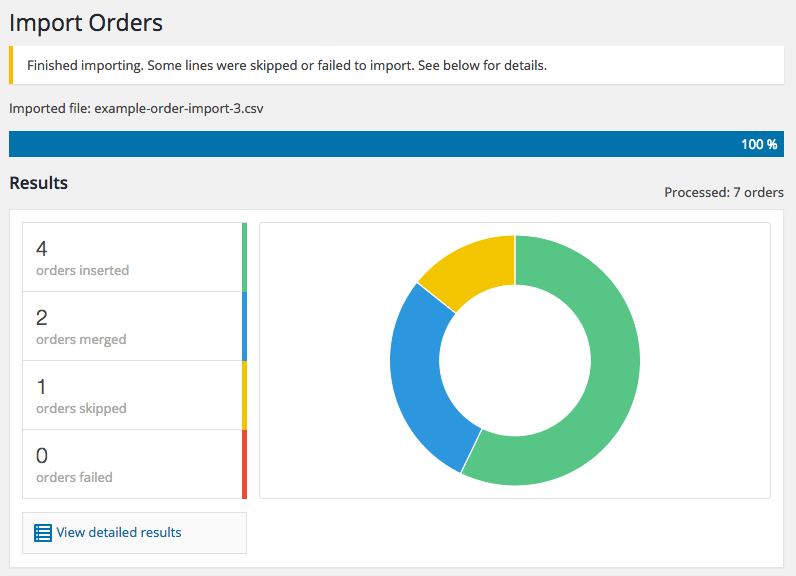
WooCommerce Customer / coupon / Order CSV Import: import progress completed

You’ll get a status update when the import is completed of how many rows modified data, were inserted, or were skipped.

How to Get Started (in 5 minutes or less)

  1. Buy this extension 🙂
  2. Download and install into your WooCommerce store
  3. Read the Documentation and download the sample CSV files to see the format required for import.
  4. Add your data to the CSV file, upload, and click import.
  5. That’s it! Sit back and enjoy your easily imported customers, coupons, and coupons!

https://ift.tt/2Ekv9so

https://ift.tt/2PNHNpe https://ift.tt/2PiKeRG

Woocommerce Customer/Order XML Export Suite 2.6.2

Woocommerce Customer/Order XML Export Suite 2.6.2

Woocommerce Customer/Order XML Export Suite 2.6.2

Easily Export Orders, Customers, and Coupons from WooCommerce While WooCommerce gives you reporting and order fulfillment tools, many merchants still need to use external systems for customer management, order fulfillment, or simply need an easy way to get data out of WooCommerce. We’ve simplified the data transfer from WooCommerce to CRMs, fulfillment providers, or other […]

Easily Export Orders, Customers, and Coupons from WooCommerce

While WooCommerce gives you reporting and order fulfillment tools, many merchants still need to use external systems for customer management, order fulfillment, or simply need an easy way to get data out of WooCommerce.

We’ve simplified the data transfer from WooCommerce to CRMs, fulfillment providers, or other systems with a customer, order, and coupon exporter that outputs CSV and XML formatted files. The WooCommerce Customer / Order / Coupon Export plugin lets you export individual orders, customers, or coupons, bulk export records on-demand, and create multiple automated exports to transfer customer and order data via FTP, HTTP POST, or email. You can also create your own custom formats that can include any customer or order meta.

Best of all, because our export process runs asynchronously in the background on your site, you can complete other tasks or leave your site completely while your export runs!

Customer / Order / Coupon Export Features

  • Export customer, order, and coupon data, including custom fields in CSV or XML formats
  • Create custom export formats to ensure your files are formatted just right
  • Process exports asynchronously so you can export thousands of records while working elsewhere on your site (or taking a well-deserved break!)
  • Generate bulk exports on demand to quickly access customer, order, and coupon data based on properties like customer registration date or order status
  • Manually export and transfer customer and order data via email, FTP, or HTTP POST
  • Create automated exports to create and send customer and order exports on a recurring schedule.
  • Compatible with many other plugins including Subscriptions and Checkout Add-OnsClick here for a full list of known compatible plugins.

Flexible, customizable formats

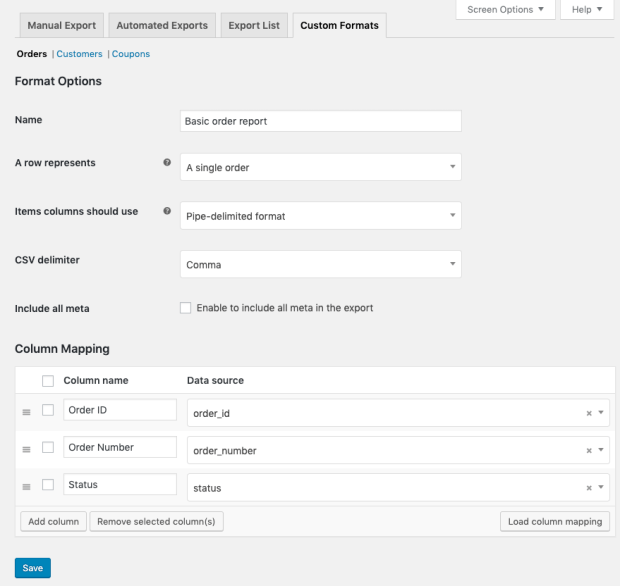
While we offer a number of predefined formats, you can also create your own customer, order, or coupon formats to ensure your file is organized just right for your business, CRM, or order fulfillment system. Custom formats let you rearrange and add new fields, including meta data and static values, and you can configure your export for CSV or XML outputs.

Creating a custom export format

Scheduled, automated exports

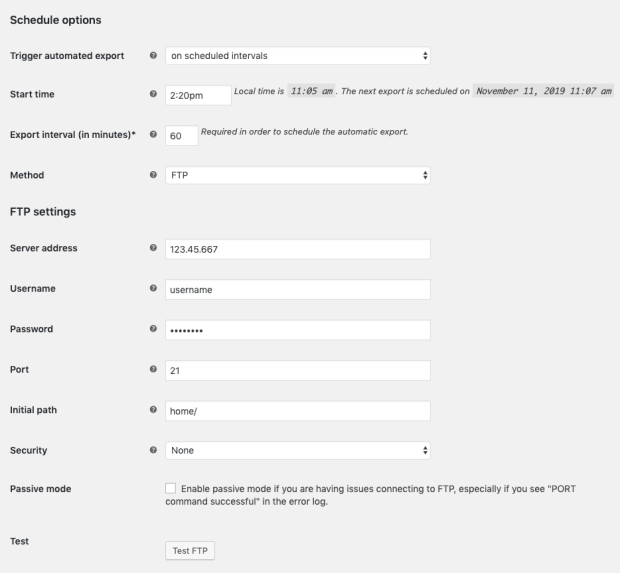
You can setup automated exports to send customer and order data via email, FTP, or HTTP POST on a regular schedule. This is ideal for order fulfillment workflows or for updating your mailing lists without any extra work. Once a customer or order is included in an automated export, it will be marked as exported and excluded from any future runs of that export to avoid duplicate.

Automated exports can be sent on a recurring basis (e.g. every day or every 5 minutes) and order exports can also be sent immediately after payment.

Scheduling an automated export

Quick and easy manual exports

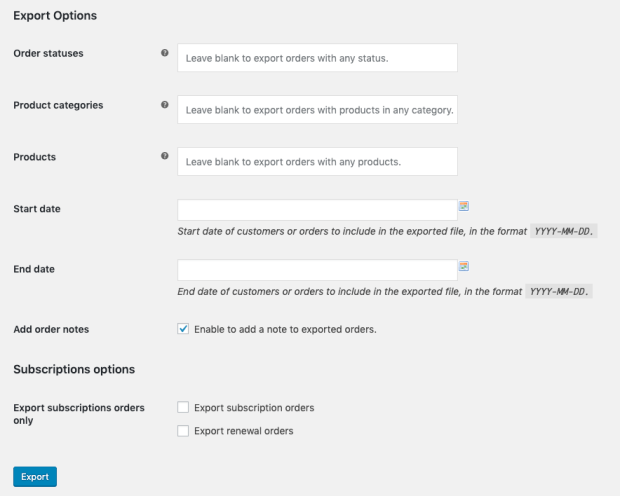
Beyond automated exports, you can also generate exports manually by selecting the particular customers or orders you want or by using filters to target data based on some attribute (e.g. customer registration date or order status).

Options for a manual bulk export

Background processing for uninterrupted workflow

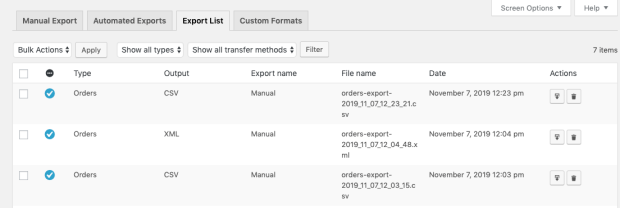
We know your time is valuable, and few things are more tedious than watching a load screen when you’re exporting thousands of orders. Our plugin exports data asynchronously in the background of your site, so there’s no need to interrupt your work to babysit a modal. Exports will process in the background while you work elsewhere on your site, or even leave your site completely. We store exports for 14 days in our Export List so you grab your exported file when it’s convenient for you.

Export list

https://ift.tt/2YKThhi

https://ift.tt/2PWSypB https://ift.tt/2rNXzIG